
What Shopper-X does
Shopper-X is mystery shopping software for the team that runs the program. It is not an agency and does not supply shoppers. In one web application you plan visits (called audits), build questionnaires, recruit and qualify shoppers, collect reports with photos, validate and score them, pay the shoppers and report the results to the client with charts and exports. Shoppers use the same system in a browser or in the iOS and Android app, with one account.
It is a multi-client system. One installation serves many brands, and each brand sees only its own data.
Who uses it
Mystery shopping agencies
An agency runs many clients, waves and shopper pools at once from one admin screen. An administrator account can be restricted to selected clients, so a project lead sees only the brands they work on.
Market research firms
The questionnaire carries the method: weights, sections and five answer types, with the running sum of weights shown while you build. Every statistics view exports to XLSX, PDF or HTML. A separate client reports API with an API key per client is available for integrators.
Brands running their own program
A brand that runs mystery shopping in house uses the client role for head office and the statistics module for the numbers. The shoppers can be freelancers or the brand's own field staff. Both register as shopper accounts and use the same inbox and app.
Five roles, one login
Everyone logs in on the same screen and lands on the page for their role.
| Role | Who | What they see |
|---|---|---|
| Administrator | The team running the program | Everything: schedule, waves, questionnaires, locations, shoppers, validators, clients, payments, statistics, users, translations, audit log. |
| Client | The brand that ordered the audits | Read-only: validated reports, statistics, a report builder with public web links, files, help. Scoped to its own data. |
| Validator | A reviewer who grades reports | The report queue and editor with every answer and file: score, accept, return for corrections, client remarks, export. |
| Shopper | The person who performs the visit | Inbox of assigned audits, ads, applications, the fill-in form, profile, contract, declaration, scores, fees. Also the mobile app. |
| Manager | Internal staff assigned to a wave | A subset of the admin screens filtered to their waves, plus notification emails with Excel or PDF attachments. |
Inside the administrator role, access is set per account through user groups: a checkbox tree of permissions where every edit permission requires the matching view permission.
What is inside
Scheduling and waves
A wave is a campaign with a date range that bundles questionnaires. Each audit inside it is one shopper, one location and one questionnaire. The dashboard shows counters and a status bar per client and wave. The audit list supports bulk edit, XLSX import, cloning last wave's schedule and bulk assignment from shopper applications. Read more on scheduling.
Questionnaire builder
Questions come from a shared bank and are grouped into sections. Five question types: yes/no, points, single choice, multiple choice and open text. Per question you set the weight, required photos and their count, the minimum comment length, and whether a wrong answer is critical or disqualifies the whole report. Read more on the questionnaire builder.
Report validation
A validator reviews each report answer by answer, with the files next to the answers, and can accept, score, add a client remark that emails the shopper, return the report for corrections or mark it unacceptable. Clients only ever see validated reports. Read more on report validation.
Statistics and the client portal
The dashboard shows an overall score ring split by section, a regions panel with a trend, and score dynamics per month or wave. Clients get a read-only portal with the same statistics, one row per validated visit, and a report builder that can publish a web link with an expiry date. Read more on reporting and the client portal.
Shopper recruitment, training and the mobile app
Shoppers register themselves, verify their email, pass a qualification test and wait for admin approval. The profile holds coverage area, car and driving license, checked when a shopper applies for an ad. Three training levels with certificates and badges sit on top, and a questionnaire can require a passed test before fill-in. The app covers the inbox, ads, applications, fill-in, tests and the monthly declaration. Read more on shopper management.
Shopper payments and business trips
Fees live on the audit. Audits and business trips are assigned to a payment period, usually one per month, which exports a multi-sheet XLSX and emails a fee notification to every shopper in it. A business trip groups several audits with transport, fuel, route legs and receipts, and needs admin approval. Read more on shopper payments.
How one wave runs
- Create the wave and attach its questionnaires: fee, working time, dates and eligibility rules (city, age, car, license).
- Build the schedule. Add audits per location, import them from XLSX or clone last wave. Publish audits as ads, assign shoppers from their applications and send the assignment emails.
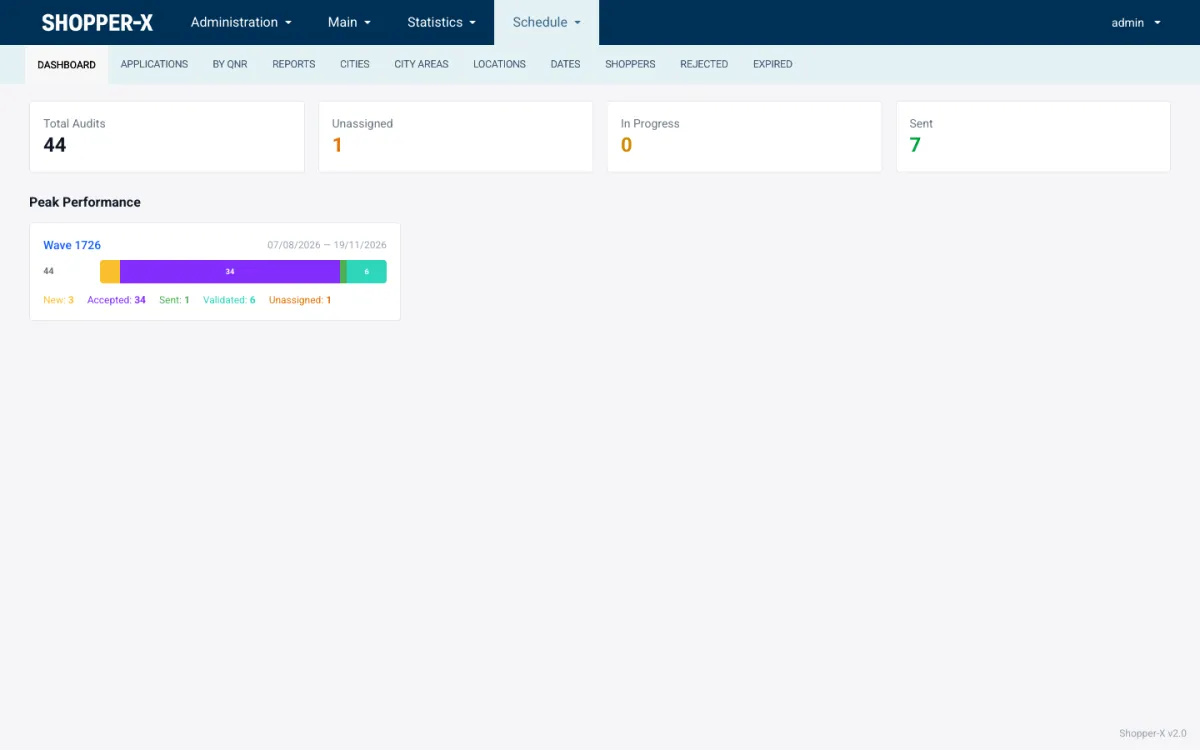
Schedule dashboard with the per-wave status bar. - The shopper accepts the audit with a visit date, performs the visit and fills in the report on the web or in the app. Required photos, comment lengths and critical or disqualifying questions are checked on submit.
- A validator checks every answer and file, scores the shopper on scenario, report, evidence and timeliness, then validates the report, returns it for corrections or marks it unacceptable.
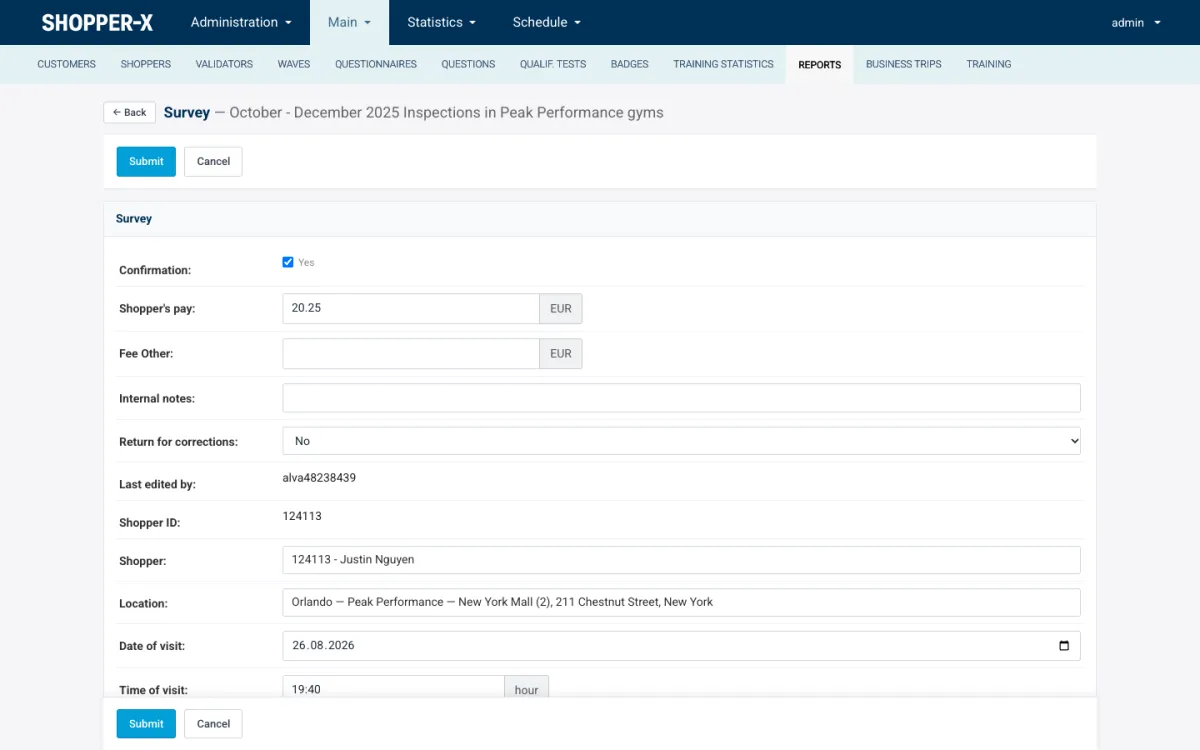
Report head fields in the validator editor. - At month end the validated audits go into a payment period. The period exports to XLSX and every shopper in it gets a fee email.
- The client logs in, opens the validated reports and the statistics dashboard, compares locations and exports the view to XLSX, PDF or HTML.
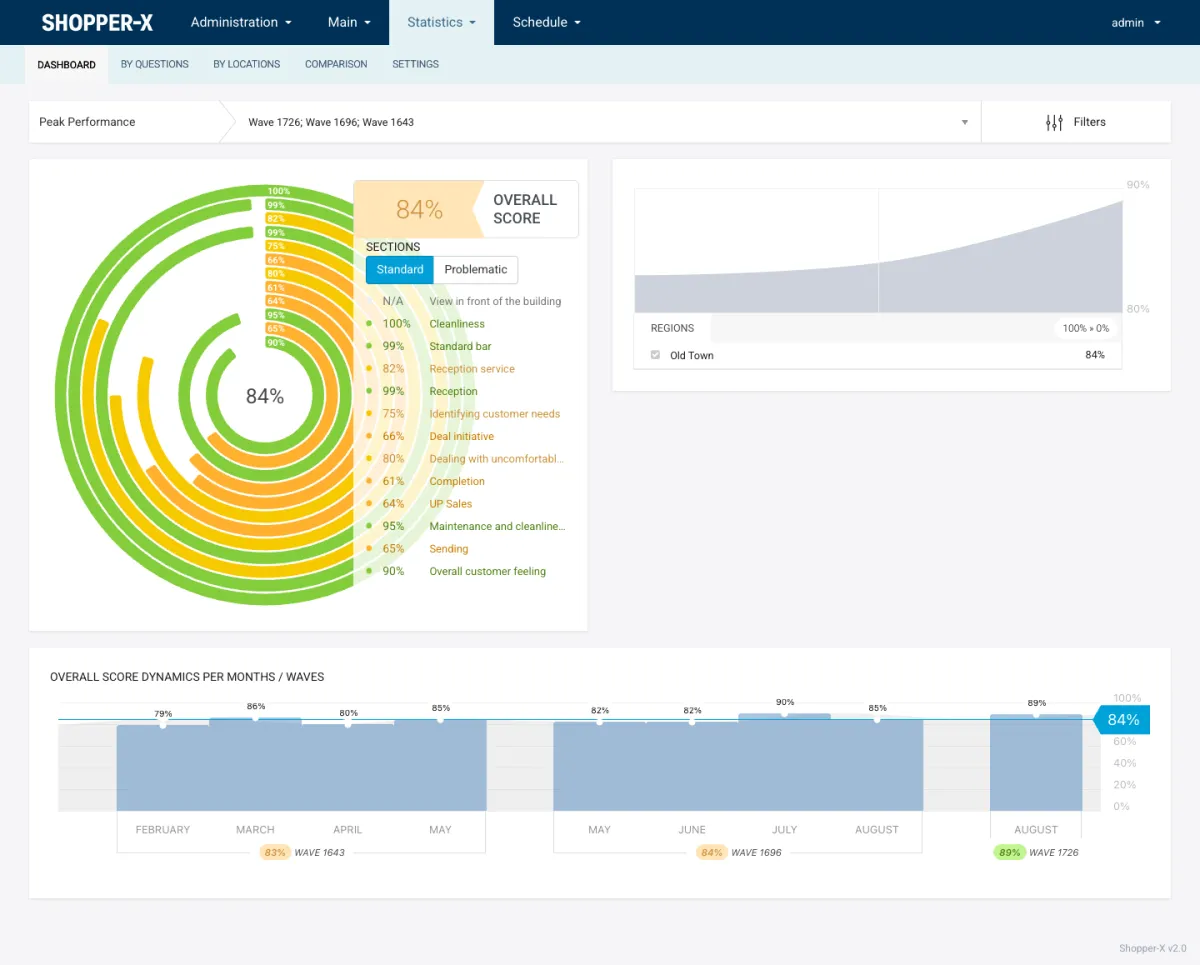
Statistics dashboard: score by section and per wave.
Security and data
Access is role based with fine-grained permissions, and every permission check is written to an audit log: who, what, when, granted or denied. Personal numbers, ID card data and IBANs are encrypted at rest. Every form carries CSRF protection. The web app uses session login; the API uses token login. Questions about hosting and data location are answered per deployment through the contact form.
API
Shopper-X has a versioned REST API under /api/v1, used by the mobile app: authentication, inbox, audits, ads, applications, questionnaires, report drafts and submissions, uploads, declarations and tests. OpenAPI documentation is served inside the installation for administrators. A separate client reports API with an API key per client exists for integrators.
Languages
Languages and every translation string, including the text of every notification email, are managed by the administrator or exchanged as CSV. The demo runs in English. The original deployment runs in Bulgarian. Any locale can be added by an administrator.
How pricing works
A monthly base fee plus a fee per submitted audit, with unlimited users. The pricing page has the numbers, worked examples for 20 to 2,000 audits a month and a fee calculator.
Try the demo
The demo instance runs the current version on an anonymized data set: 30 questionnaires over 24 waves, 72 locations, 159 shoppers and 408 completed reports, in English. The two customers in it are fictitious. Request a demo and you get a login for each role.
Industries
The program looks different per sector. Four pages show how Shopper-X handles each one: retail chains, banks and branch networks, hotels and restaurants and car dealerships.
Guides
- How to run a mystery shopping program
- How to design a mystery shopping questionnaire
- Mystery shopping KPIs and what the score means
FAQ
Is Shopper-X a mystery shopping agency or software?
Software only. You bring the clients and the shoppers; Shopper-X gives your team the tools to run the program.
Can one installation serve several clients?
Yes. Each client sees only its own waves, reports and statistics, and administrator accounts can be restricted to selected clients.
Does the shopper app work without a connection?
It is not a full offline mode. Answers and photos are kept on the phone as drafts and synced to the server. Each photo is uploaded on its own, and server-side validation names the failing question.
Which languages does it support?
English and Bulgarian are in use today. An administrator can add any language and edit every string and email text.
How do I get a price?
The pricing page lists the monthly base fee and the fee per submitted audit. For a written quote, request a demo and tell us your monthly audits.
Want to see Shopper-X with your own questionnaire and locations? Request a demo and we will set up a login for each role.